How to View Lyrics in Apple Music on Your Mac
Matt Cone December 14, 2021 Tutorials Mac Music
If you use Apple Music on your Mac to listen to songs, you might be surprised to learn that you can view song lyrics right in the Apple Music application. Lyrics are available for most of the songs in Apple Music. Apple Music also has a feature that allows you to share lyrics with a friend, much like how it allows you to share a playlist with a friend.

Here’s how to view lyrics in Apple Music on your Mac:
Open the Music application on your Mac.
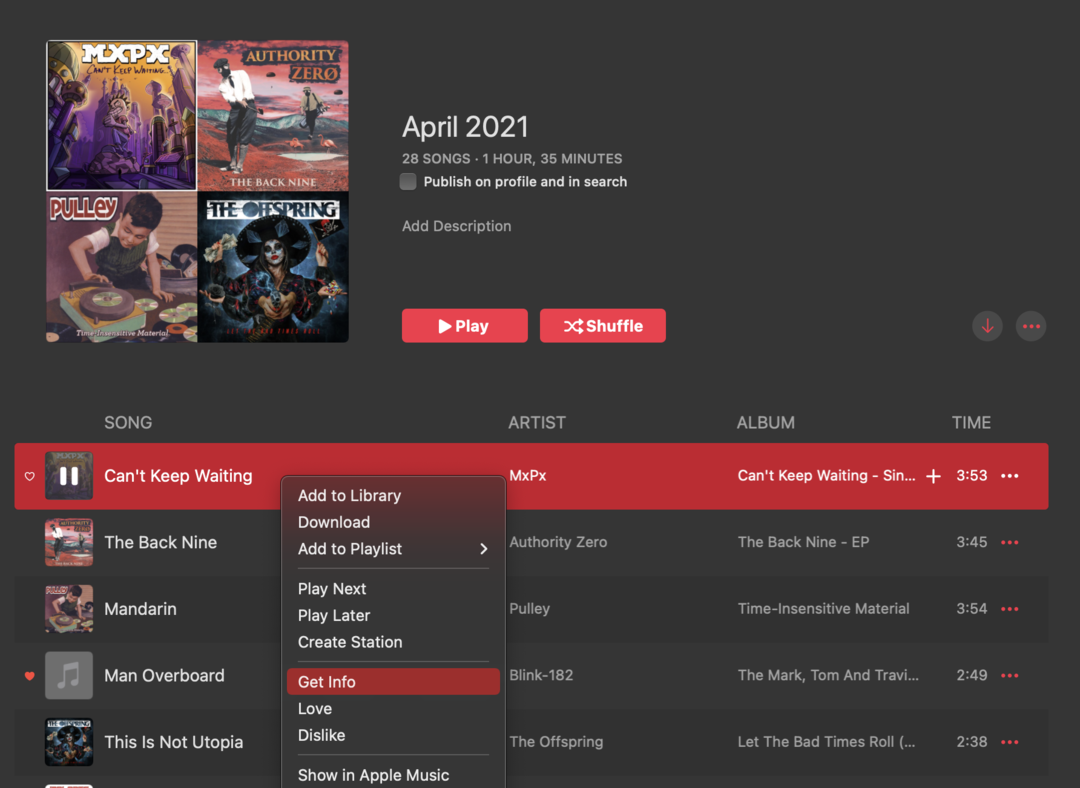
Find a song in your library.
Click the … button or right click on the song, and then select Get Info.
Click the Lyrics tab in the window, as shown below. The song lyrics appear on your Mac’s screen.
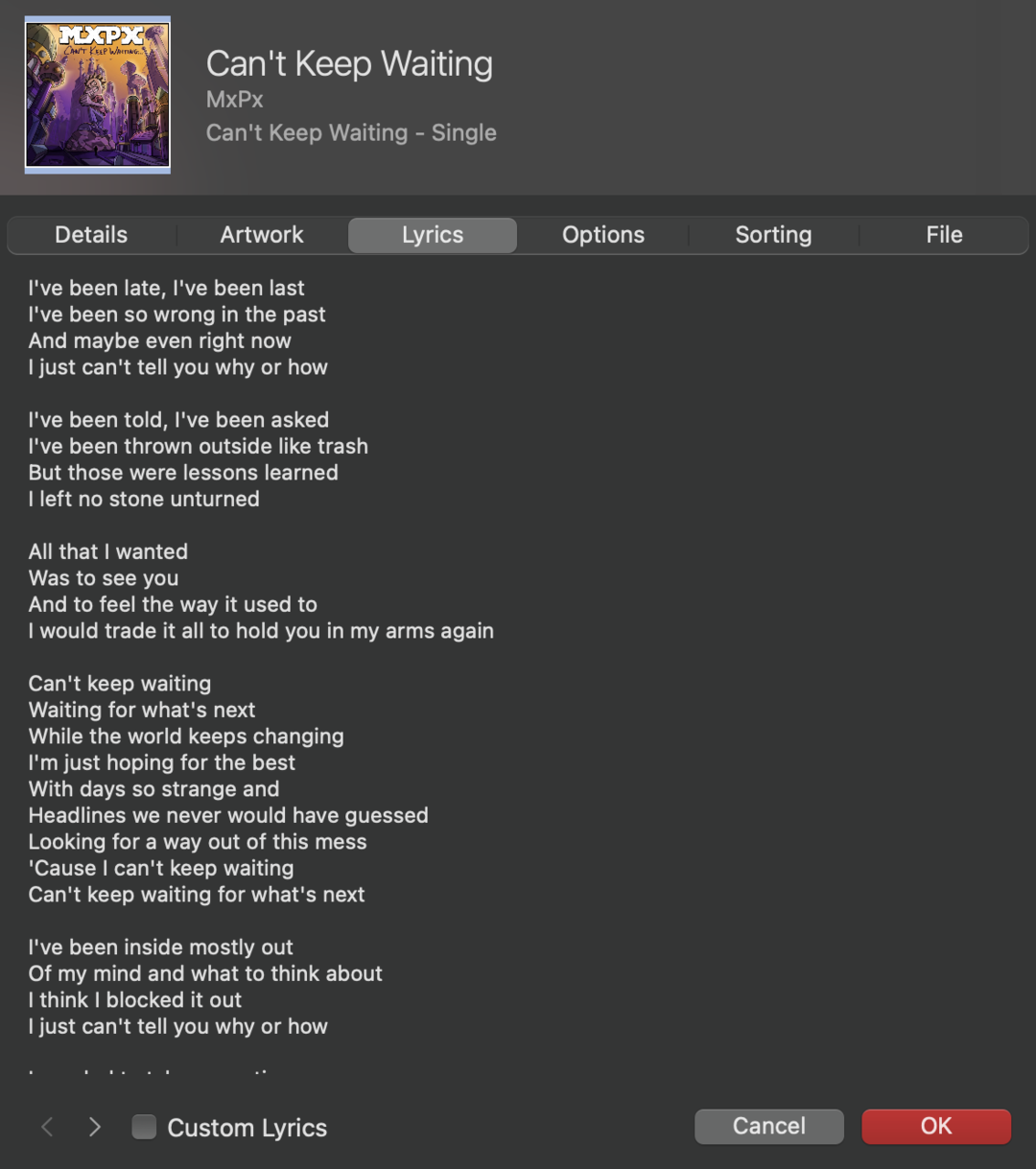


You’ve successfully viewed song lyrics in Apple Music on your Mac. You can repeat this process for any song in your library.