How to Use Emoji on Your iPad
Matt Cone March 19, 2021 Tutorials iPad
Emoji is everywhere, in everything. 😎 Your iPad has built-in features you can use to add emoji in email, webpages, documents, and more. We’ll show you how to use emoji on your iPad to quickly and easily insert emoji in any text. 🚀
Here’s how to use emoji on your iPad:
In an application, click where you want to insert the emoji.
Tap the Emoji button on the keyboard.
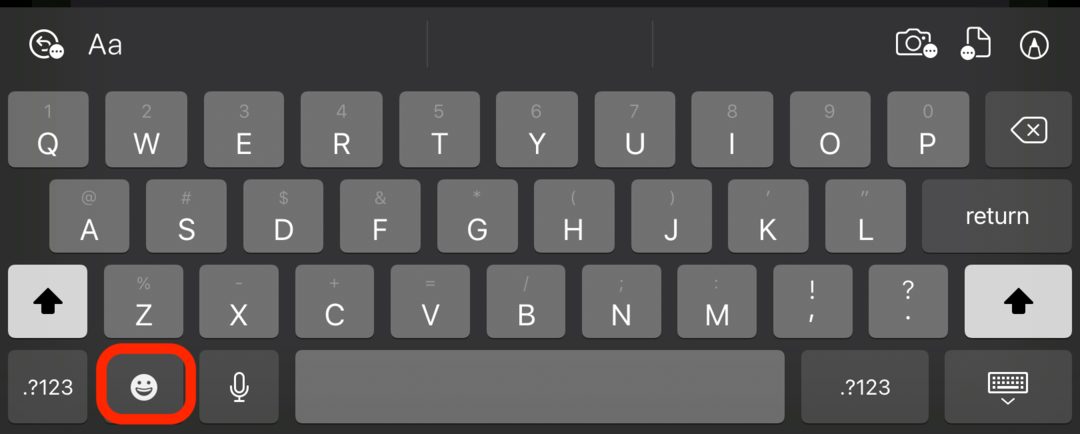

Tip: Don’t see the Emoji button on your keyboard? Follow our instructions to add the emoji button on your iPad’s keyboard.
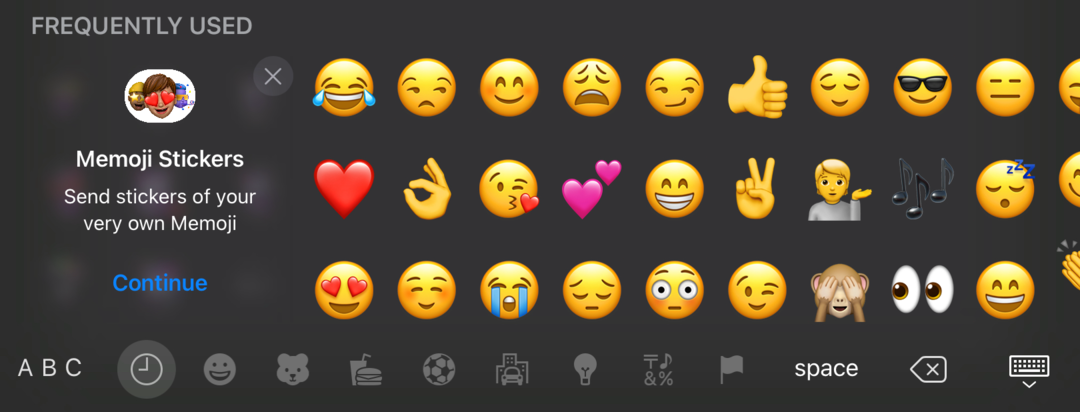
From the emoji pane, click an emoji. 🤩 The emoji will be inserted into the text on your iPad.

Good luck, and try not to overuse all of your newfound powers! 😂