How to Share an Apple Music Playlist on an iPhone
Matt Cone April 23, 2021 Tutorials iPhone Music
If you use Apple Music on an iPhone, you should know that there’s a quick and easy way to share your playlists with friends and family members. Sharing a playlist lets others see your music and play the songs that you’ve collected.

Here’s how to share an Apple Music playlist on your iPhone:
From the home screen, tap the Music application.
Select the playlist you want to share.
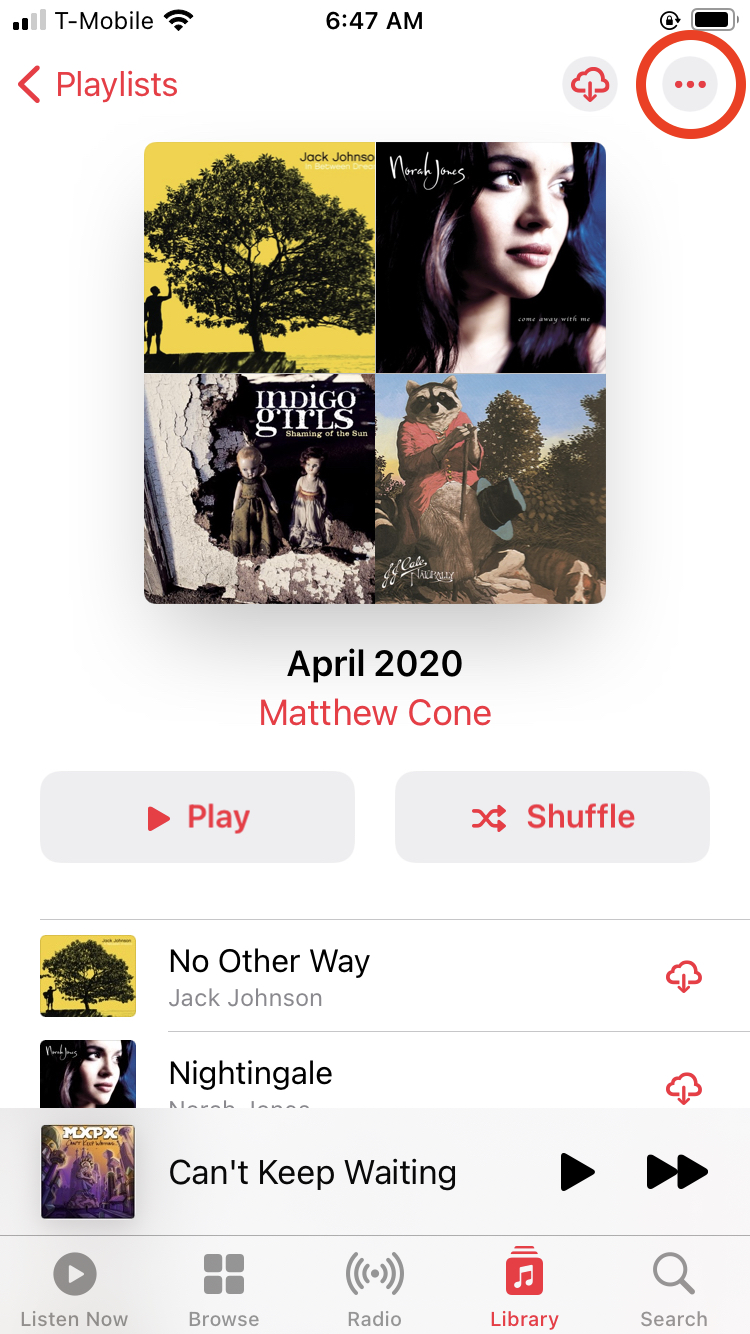
Tap the … icon, as shown below.
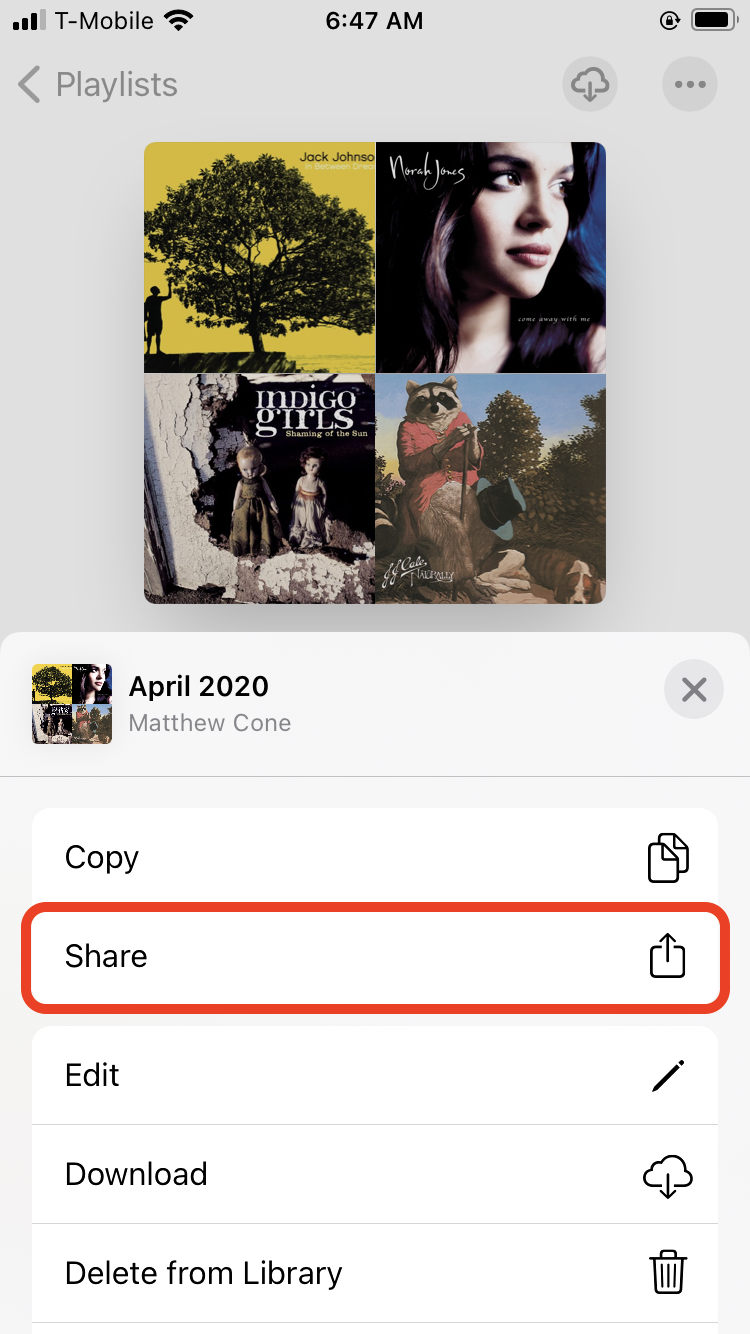
Tap Share, and then select an option.
Send the link to the recipient.


You’ve successfully shared your Apple Music playlist!