How to Share an Apple Music Playlist on a Mac
Matt Cone April 21, 2021 Tutorials Mac Music
If you use Apple Music, you should know that there’s a quick and easy way to share your playlists with friends and family members. Sharing a playlist lets others see your music and play the songs that you’ve collected.

Here’s how to share an Apple Music playlist on your Mac:
Open the Music application on your Mac.
From the sidebar, select the playlist you want to share.
Click the … button, as shown below, and then select an option from the Share menu.
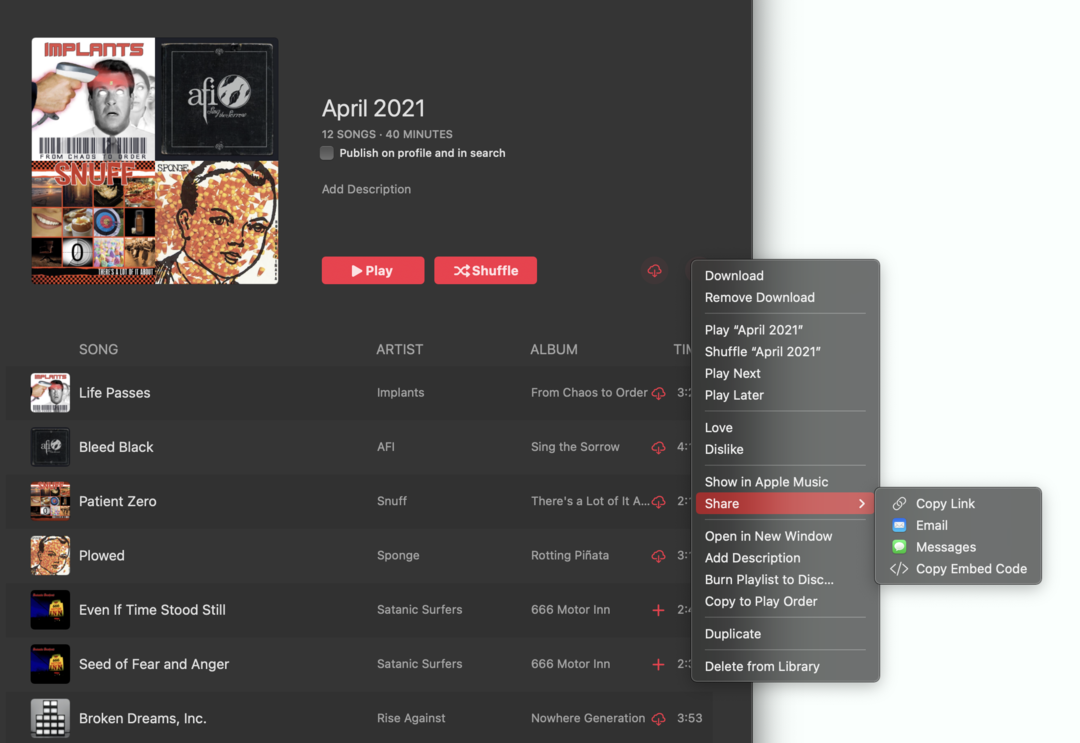
Send the link to the recipient.

You’ve successfully shared your Apple Music playlist!