How to Change the Default Search Engine on Safari on Mac
Matt Cone April 20, 2021 Tutorials Mac Internet
If you use the Safari web browser on your Mac, you can quickly and easily change your Mac’s default search engine from Google to another search engine like DuckDuckGo or Ecosia.

Here’s how to change the default search engine on your Mac:
Open the Safari web browser.
From the Safari menu, select Preferences.
Click Search. The Safari search preferences appear, as shown below.
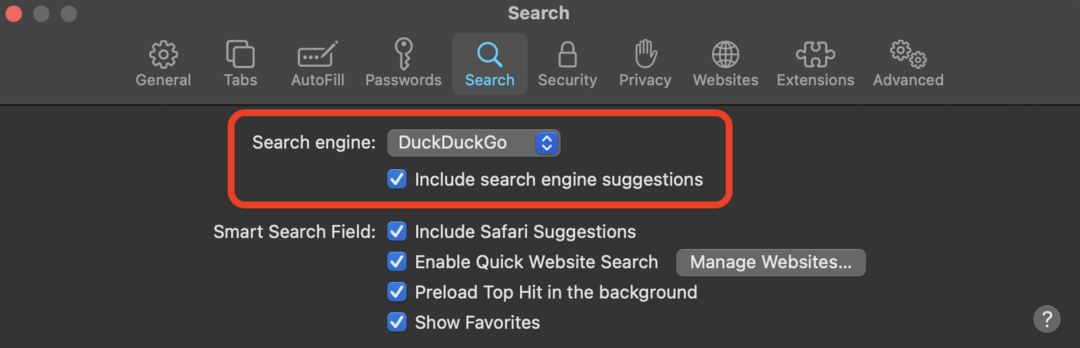
From the Search engine menu, select the search engine you want use.

You’ve successfully changed the default search engine on your Mac. In the future when you search using the Safari web browser, you’ll be using the search engine you selected.